The best smart home hubs bring compatible devices, routines, sensors, and security systems into one easier-to-manage control layer. The right choice depends on your preferred ecosystem, wireless standards, privacy needs, and appetite for customization.
We compared 10 smart home hubs and control panels for different homes, from enthusiast-grade automation platforms to simple Alexa, SmartThings, eufy, and Tapo solutions.
Best 10 Smart Home Hubs Picks for 2026
Best Overall for DIY Automation

- Preinstalled Home Assistant OS
- Local data storage and advanced automation
- USB expansion for Z-Wave, Zigbee, and Thread
Best For: DIY households wanting flexible, centralized smart home control
Best Smart Display Hub
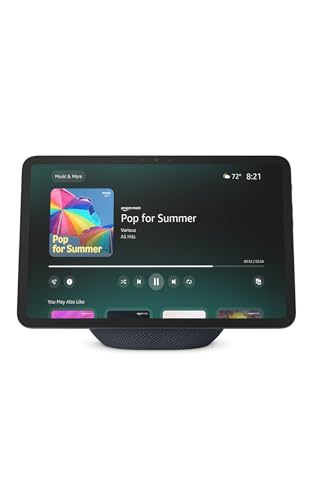
- Built-in Alexa smart home hub
- 11-inch Full-HD touchscreen
- Streaming, spatial audio, and video calls
Best For: Alexa users wanting a hub and household display in one device
Best for Local Automation

- Local processing for fast, resilient routines
- Matter, Z-Wave, Zigbee, and Bluetooth support
- No subscription required
Best For: Advanced users building reliable multi-protocol automations
Best for Tapo Camera Storage

- Connects up to 16 Tapo cameras
- Local 16GB storage with expansion up to 16TB
- HDMI viewing for up to four live feeds
Best For: Tapo households prioritizing local camera recordings and monitoring
Best Balanced Hub

- Matter and Zigbee support
- Local SmartThings automations
- Wi-Fi or Ethernet setup
Best For: SmartThings users without Z-Wave devices
Best for Eufy Security

- Supports up to 50 eufy devices
- 16 GB storage, expandable to 16 TB
- AI recognition and 100 dB siren
Best For: Centralized eufy camera and sensor security
Best Multi-Protocol Hub

- Supports seven connectivity technologies
- Compatible with 50,000+ devices
- Local-first Homey Flow automations
Best For: Advanced mixed-brand smart home setups
Best for Security Monitoring
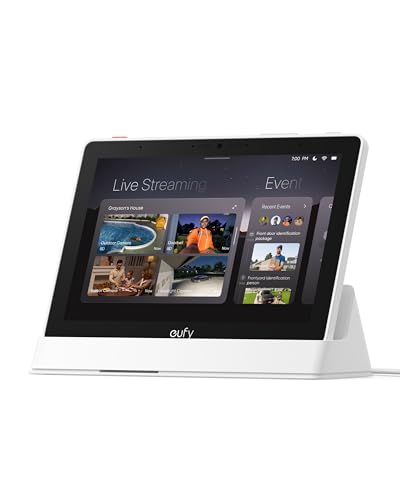
- Automatic alerts with live security feeds
- Four-camera simultaneous viewing
- Local event playback and daily summaries
Best For: Dedicated eufy security monitoring for the whole family
Best Overall Control Panel

- Customizable 8-inch smart home dashboard
- Works with thousands of compatible devices
- Built-in support for major connectivity standards
Best For: Alexa-centered homes with many connected devices
Best for Local Matter Bridging
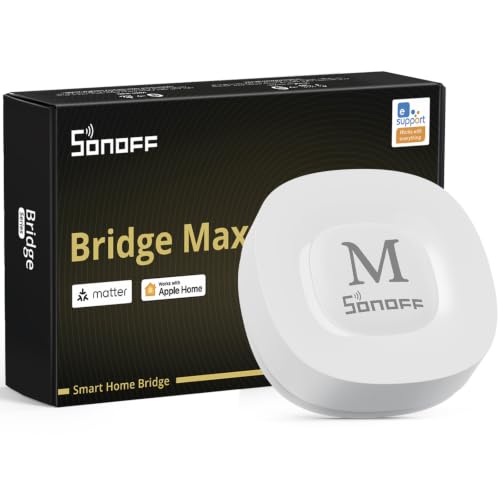
- Bridges Zigbee devices to Matter platforms
- Local web console with no cloud required
- Supports Home Assistant and MQTT
Best For: Advanced users creating a local, privacy-focused smart home
Best Overall for DIY Automation – Home Assistant Green
Home Assistant Green | Smart Home hub with Advanced Automation | Official Home Assistant Hardware
Check Price On AmazonHome Assistant Green is one of the most approachable smart home hubs for users who want powerful, flexible automation without assembling a server. Home Assistant comes preinstalled, so setup mainly involves connecting the included power supply and Ethernet cable.
Best For: DIY-minded households seeking centralized control, local data storage, and advanced automations.
Pros:
- Home Assistant OS is preinstalled for a straightforward start.
- Supports whole-home control and detailed automations.
- Stores home data locally and uses only a few watts of power.
- Can be expanded with USB devices for Z-Wave, Zigbee, and Thread.
Cons:
- Ethernet is the primary listed network connection.
- Z-Wave, Zigbee, and Thread connectivity requires compatible USB accessories.
Choose Home Assistant Green if customization and local control matter more than a simple voice-first experience. Its compact, silent design and expandable architecture make it a strong foundation for a growing smart home.
Best Smart Display Hub – Echo Show 11
The Echo Show 11 combines a smart display, entertainment screen, video-calling device, and smart home hub. Its Full-HD 11-inch touchscreen provides more viewing area for managing Alexa-compatible devices, recipes, calendars, camera feeds, and media.
Best For: Alexa households that want visual smart home controls and an all-purpose kitchen or living-room display.
Pros:
- Built-in hub controls thousands of compatible smart home devices without a separate hub.
- Large Full-HD display makes controls, recipes, calendars, and camera feeds easier to view.
- Spatial audio, streaming support, and video calls add everyday versatility.
- Includes microphone and camera disable controls plus dedicated camera controls.
Cons:
- Its smart home control is centered on devices that work with Alexa.
- Some personalized features depend on Alexa+.
The Echo Show 11 is a practical choice when a smart home hub should also serve as a visible household assistant and entertainment display. It is less focused on advanced local automation than dedicated DIY hubs, but especially convenient for Alexa users.
Best for Local Automation – Hubitat Elevation C-8 Pro
Hubitat Elevation C-8 Pro is a local-first smart home hub designed for fast, dependable automations. It supports Matter 1.5, Z-Wave 800 Series Long Range, Zigbee 3.0, and Bluetooth, while running routines directly on the hub rather than relying on remote servers.
Best For: Experienced smart home builders who prioritize local processing, broad protocol support, and complex automations.
Pros:
- Automations continue working when the internet is unavailable.
- Supports Matter, Z-Wave, Zigbee, and Bluetooth in one hub.
- Works with Alexa, Google Home, and Apple HomeKit.
- No recurring subscription is required for full platform functionality.
Cons:
- Its advanced Rule Machine and broad compatibility may involve a steeper learning curve.
- It is designed primarily for automation rather than serving as a display or media device.
The C-8 Pro stands out for households that want responsive automations and multiple wireless standards under one roof. Its local processing and active community make it a capable long-term platform for users willing to invest time in setup.
Best for Tapo Camera Storage – Tapo H500
The Tapo H500 is a smart home hub focused on Tapo cameras, sensors, and local video management. It can connect up to 16 Tapo cameras and 64 Tapo Sub-G sensors, while storing footage locally instead of requiring cloud storage or separate microSD cards for each camera.
Best For: Tapo users who want centralized camera management, local recordings, and expandable storage.
Pros:
- Supports up to 16 Tapo cameras and 64 Tapo Sub-G sensors.
- Includes 16GB storage and supports an optional 2.5-inch SATA HDD or SSD up to 16TB.
- Local footage remains accessible during network outages and avoids required cloud storage.
- HDMI output supports viewing up to four live camera feeds on a larger screen.
Cons:
- Continuous recording is limited to up to four cameras.
- Its strongest features are centered on the Tapo ecosystem.
- Additional storage is sold separately.
The H500 is a specialized choice rather than a general-purpose automation hub. It makes the most sense for Tapo camera owners who value local video storage, centralized monitoring, and expandable recording capacity.
Best Balanced Hub – Aeotec Smart Home Hub 2
The Aeotec Smart Home Hub 2 is a practical choice for shoppers building around the SmartThings ecosystem. It supports Matter and Zigbee devices, works with Alexa and Google Assistant, and can run many automations locally for added responsiveness. Note that it does not support Z-Wave.
Best For: SmartThings users who want Matter and Zigbee support with Wi-Fi or Ethernet setup.
Pros:
- Connects compatible Matter and Zigbee lights, sensors, plugs, switches, and thermostats.
- Supports local automations that can continue during temporary internet outages.
- Works with SmartThings, Alexa, and Google Assistant.
- Offers both Wi-Fi and Ethernet connectivity.
Cons:
- Does not support Z-Wave devices.
- Compatibility depends on using compatible devices and integrations.
For many smart home hubs shoppers, this model strikes a useful balance between broad modern protocol support and straightforward SmartThings control. It is less suitable for homes that already depend on Z-Wave products.
Best for Eufy Security – eufy HomeBase 3 Security Hub
The eufy Security HomeBase 3 is a security-focused hub rather than a general-purpose smart home controller. It brings compatible eufy cameras, doorbells, and sensors into one app, while providing local storage, AI-assisted recognition, and a built-in siren for connected security devices.
Best For: Eufy households that want centralized camera and sensor management without mandatory monthly storage fees.
Pros:
- Supports up to 16 eufy cameras or doorbells plus 34 sensors.
- Includes 16 GB of built-in storage and supports expansion up to 16 TB with a portable hard drive.
- Offers facial recognition features and Daily Security Briefings.
- Includes a 100 dB siren and encrypted data protection features.
Cons:
- Designed for eufy devices rather than broad cross-brand smart home control.
- Additional storage expansion requires a separately purchased portable hard drive.
- Its listed connectivity is 2.4 GHz Wi-Fi.
If your priority is security monitoring, HomeBase 3 offers more relevant features than general smart home hubs, including recording storage and an integrated deterrent siren. Choose another type of hub if you need broad Matter, Zigbee, or Z-Wave device coordination.
Best Multi-Protocol Hub – Homey Pro (2026)
Homey Pro (2026) is built for shoppers who want one of the most broadly connected smart home hubs. It combines Wi-Fi, Zigbee, Z-Wave Plus, Bluetooth, infrared, Matter, and Thread, while its local-first design and Homey Flow tools support detailed automations across devices from more than 1,000 brands.
Best For: Enthusiasts with mixed-brand devices who want extensive protocol support and local automation.
Pros:
- Combines seven technologies, including Z-Wave Plus, Zigbee, Matter, and Thread.
- Works with over 50,000 devices from more than 1,000 brands.
- Supports phone-based Homey Flow and web-based Advanced Flows.
- Processes automations locally and can track historical energy usage.
Cons:
- The extensive capabilities may be more than a simple setup requires.
- Brand compatibility should be checked on Homey’s website before purchase.
- Some integrations may rely on official or community-built Homey apps.
Homey Pro is the strongest fit here for a growing, mixed-protocol installation. Its wide compatibility and local-first processing offer substantial flexibility, though buyers should confirm support for their specific devices and be prepared to spend time building more advanced automations.
Best for Security Monitoring – eufy Smart Display E10
If your priority is hands-on security monitoring, the eufy Smart Display E10 is one of the more focused smart home hubs available. Its 8-inch touchscreen brings compatible eufy camera and doorbell activity into view, with local event storage and quick access to live feeds.
Best For: Families that want a dedicated security display for monitoring cameras, doorbells, and other eufy security events.
Pros:
- Automatically displays live video and voice alerts for doorbell rings, door unlocks, and camera detections.
- Supports four simultaneous live feeds for at-a-glance property monitoring.
- Stores historical events locally for quick replay without buffering or cloud dependence.
- Facial and package recognition can compile daily security summaries with HomeBase 3.
Cons:
- Its strongest features are centered on the eufy security ecosystem.
- The display is more security-focused than a general-purpose smart home controller.
The E10 makes the most sense when camera visibility and local security playback matter more than broad device compatibility. Its simple touchscreen and automatic alerts also make it approachable for kids and seniors.
Best Overall Control Panel – Amazon Echo Hub
The Amazon Echo Hub is a practical choice for households managing many connected products. This 8-inch control panel lets you customize a dashboard, view compatible cameras, launch routines, and control devices across Wi-Fi, Bluetooth, Zigbee, Matter, Sidewalk, and Thread.
Best For: Alexa households that want a customizable wall-mounted command center for smart devices, routines, cameras, and security systems.
Pros:
- Customizable dashboard sections and resizable controls help organize frequently used devices.
- Built-in support for Wi-Fi, Bluetooth, Zigbee, Matter, Sidewalk, and Thread devices.
- Can control compatible security systems, cameras, locks, alarms, and sensors.
- Supports voice-created routines and on-screen media controls.
Cons:
- Some Ring camera features require Alexa+ and a compatible Ring subscription sold separately.
- Wall pass-through hardware, power-over-Ethernet adapters, and tabletop stands are sold separately.
Among smart home hubs, the Echo Hub stands out for broad Alexa compatibility and a flexible interface. It is especially useful when several people need an easy way to operate the same connected home.
Best for Local Matter Bridging – SONOFF Bridge Max
The SONOFF Bridge Max is a compact option for connecting Zigbee, BTHome, and eWeLink devices to Matter platforms. As one of the more technical smart home hubs, it offers Ethernet or Wi-Fi networking, a local web console, MQTT support, and local automation options.
Best For: Advanced users building a privacy-conscious setup with Zigbee devices, Home Assistant, and Matter-compatible platforms.
Pros:
- Bridges Zigbee, BTHome, and eWeLink devices to Alexa, Google Home, Apple Home, and other Matter platforms.
- Local web-console management works directly over the LAN without requiring cloud services.
- Supports Home Assistant through MQTT and offers local Zigbee automations.
- Includes a built-in 90 dB alarm and mobile notifications when paired with compatible security sensors.
Cons:
- It is a Matter Bridge, not a Matter Hub or Controller, so it cannot add Matter devices directly.
- Its setup and integration options may be better suited to technically confident users.
The Bridge Max is a strong fit for users who want to connect older or non-Matter devices without putting core management in the cloud. Check the controller distinction carefully if your setup requires direct Matter-device onboarding.
How We Picked These Smart Home Hubs
We selected hubs that serve distinct buying needs rather than treating every device as interchangeable. Our comparison considers supported protocols, ecosystem compatibility, local versus cloud-dependent automation, setup difficulty, app quality, expandability, and the types of devices each hub is designed to coordinate.
Protocol support matters because it determines which lights, locks, sensors, cameras, and switches you can add later. We also considered whether a hub is a general-purpose automation controller, a security-focused base station, or a screen-based control panel.
Quick Comparison
| Best For | Look For |
|---|---|
| Advanced automation | Home Assistant Green, Homey Pro, or Hubitat |
| Alexa households | Echo Hub or Echo Show 11 |
| SmartThings compatibility | Aeotec Smart Home Hub2 |
| Security devices | eufy HomeBase 3, eufy Smart Display E10, or Tapo H500 |
| Simple device bridging | SONOFF Bridge Max |
Key Buying Factors for Smart Home Hubs
Wireless Protocol Support
Check whether the hub supports the standards your devices use. Matter improves cross-platform compatibility, while Thread, Zigbee, and Z-Wave can provide dependable low-power connections. Some hubs support only selected protocols, so verify compatibility before buying locks, sensors, or switches.
Local Automation and Reliability
Local processing can keep routines working during internet outages and may improve response times and privacy. Cloud-connected hubs can be easier to configure, but their features may depend on an account, subscription, or manufacturer service.
Ecosystem Fit
Choose a hub that works with the voice assistant, security brand, and devices you already own. Alexa and SmartThings users may value straightforward integration, while advanced users may prefer broader control and more detailed automations.
Interface and Installation
A dedicated screen is useful for shared household controls, camera views, and quick access to scenes. A compact hub without a display is often better for discreet installation, while enthusiast platforms may require more time for setup and troubleshooting.
Who Should Buy Which Smart Home Hubs?
Choose Home Assistant Green, Hubitat Elevation, or Homey Pro if you want deep customization, broad device support, and sophisticated routines. Home Assistant is especially attractive to users comfortable managing a more technical platform; Hubitat emphasizes local automation, while Homey Pro offers broad protocol support in a polished package.
Choose an Echo Hub or Echo Show 11 if Alexa is already central to your home and you want voice control plus an accessible interface. The Echo Hub is purpose-built for smart-home controls, while the Echo Show adds a larger entertainment and information display.
Choose Aeotec Smart Home Hub2 for a SmartThings-centered setup, or SONOFF Bridge Max when your main goal is connecting compatible SONOFF and related devices.
Choose eufy HomeBase 3 or the eufy Smart Display E10 for a eufy-focused security system and convenient camera or device management. Tapo’s H500 is a sensible fit for households building around Tapo cameras and accessories. Before purchasing, confirm exact device compatibility and regional feature availability.